# Create an Invoice

## Create an Invoice

Create bespoke customer invoices, ready to take crypto payments. S**tart on the payment links tab.**

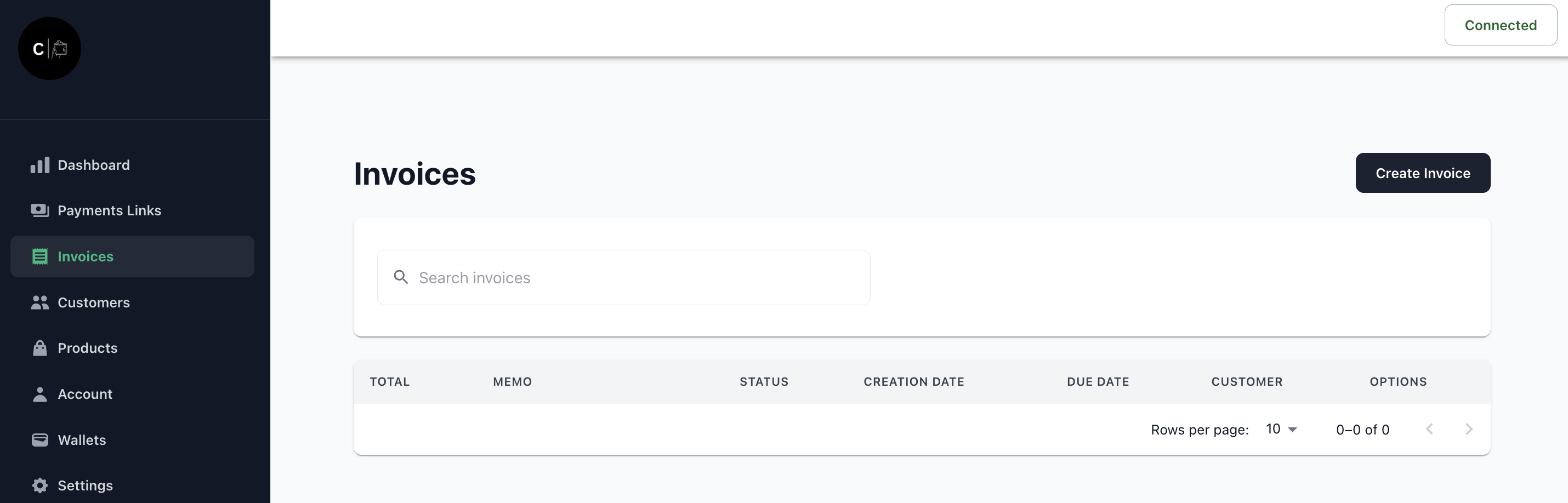
1. Click the 'Create Invoice' button

<figure><img src="https://2075415688-files.gitbook.io/~/files/v0/b/gitbook-x-prod.appspot.com/o/spaces%2FceNf10uShEuIZXEHwYrH%2Fuploads%2FqilVkSc3nQ1hCP43aMOQ%2Fimage.png?alt=media&#x26;token=9c80f4fd-c316-43b0-9532-e1c6390738fc" alt=""><figcaption></figcaption></figure>

2. Complete the invoice generation form \
   \&#xNAN;*Note: The credit wallet is the wallet receiving the funds, you can add a new wallet in the wallets section.*
<figure><img src="https://2075415688-files.gitbook.io/~/files/v0/b/gitbook-x-prod.appspot.com/o/spaces%2FceNf10uShEuIZXEHwYrH%2Fuploads%2Fiusv8SPLAOG49bXsfUjy%2Fimage.png?alt=media&#x26;token=771dcc08-b03a-4d66-a720-d3d71eeb0558" alt=""><figcaption></figcaption></figure>
